Patient & Visitor Resources Pages
Project background
We launched a new navigation on uwmedicine.org in April 2025. The new nav changed the IA on our site, now it’s organized by audiences that we serve:
Patients
Doctors
Researchers
We need a new patient-focused landing page in the L1 of the navigation.
Due to the new nav design, the Patient Resources page will have elevated visibility, likely higher traffic and user reliance.
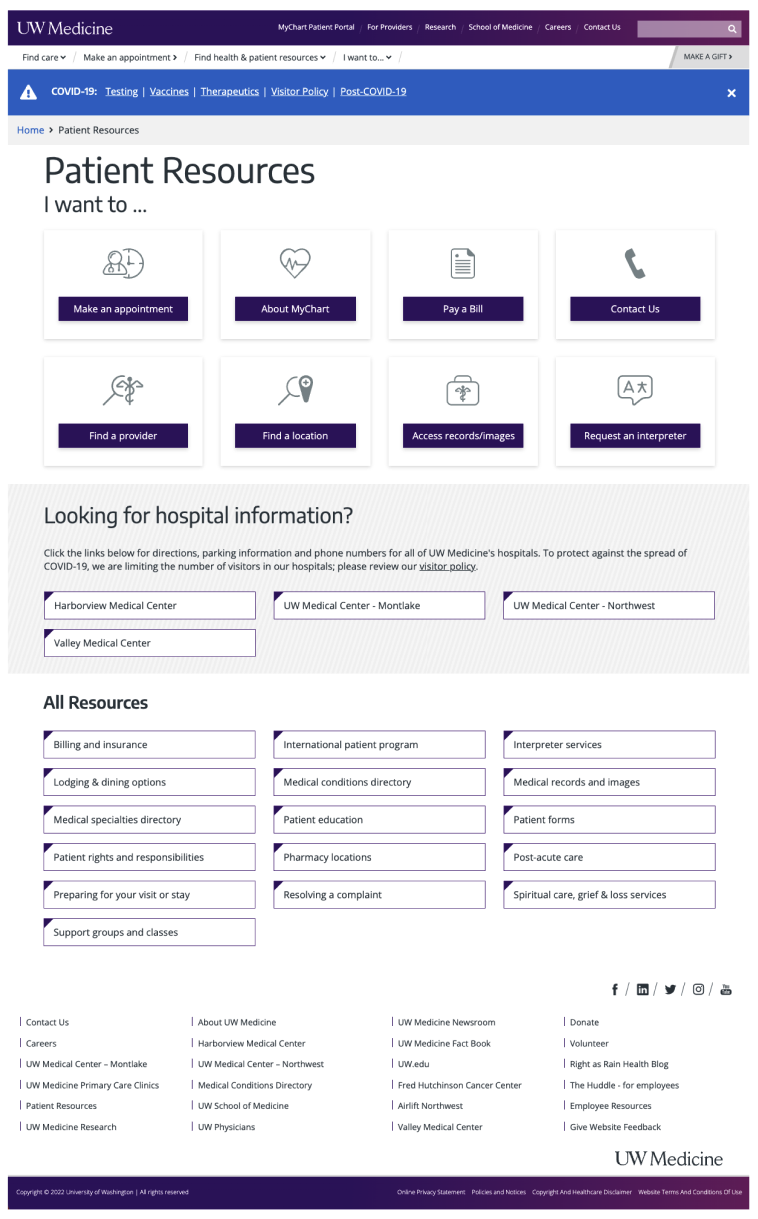
The existing patient resources page was designed 15 years ago, and had a few key problems:
Old components that had accessibility issues
Missing important information and links
Didn’t align with other audience-focused pages in the L1 navigation
We set out to build one or two pages that act as a comprehensive resource, providing patients and visitors with top patient-related actions and resources.
Context and challenge
Team:
Product designer
Data scientist
Web team
Developers
Program manager
Tools:
Figma
UserTesting
Google Analytics 4
SEMRush
SiteImprove
Microsoft suite
Audiences for the page(s):
Current patients
Prospective patients
Visitors
Proxy users
Challenges:
The current Patient Resources page is cluttered with 32 links/CTAs to other pages. We don’t currently know the top subjects patients are coming to uwmedicine.org or this page to find.
Leadership wanted us to create one new page with all patient and visitor information (opposed to two pages) to consolidate content.
Leadership wanted the new Patient Resources page as the Homepage in the nav, which would break the interaction design pattern of the L1 and L2 navigation.
Goals
Business goals:
Elevate MyChart login and About MyChart page, increase logins and signups by 5% (new and current patients)
Ensure visibility of high priority areas like medical specialties and urgent care
Make patient forms easily accessible i.e. Notice of Privacy Practices
Ensure that we cater to both new and existing patients to attract new patients and retain current ones
UX goals:
Clear language and pathways to subjects most important to patients and visitors
Through data collection and analysis, understand the search keywords that lead patients to this page and top patient-related subjects/clicks across the site
Implement semantic hierarchy, prioritizing top patient subjects/actions at the top of the page
Through user testing, identify the priority and secondary subjects that patients look for, and therefore if a one page or two-page experience is optimal
Clear user journeys with minimal clicks to help patients accomplish tasks or expand their knowledge in a particular healthcare-related area
Change the buttons on the page to links
Personal goal:
Experiment with ChatGPT to speed up user testing data analysis and other tasks as applicable
Process
Old design
Note: The For Patients page was an entirely new page, but the Patient Resources page was a page redesign.
CY23 and CY24 data collection and analysis from SEMRush, SiteImprove and GA4:
Search data that lead to the Patient Resources page
Patient Resources page data
Homepage navigation data
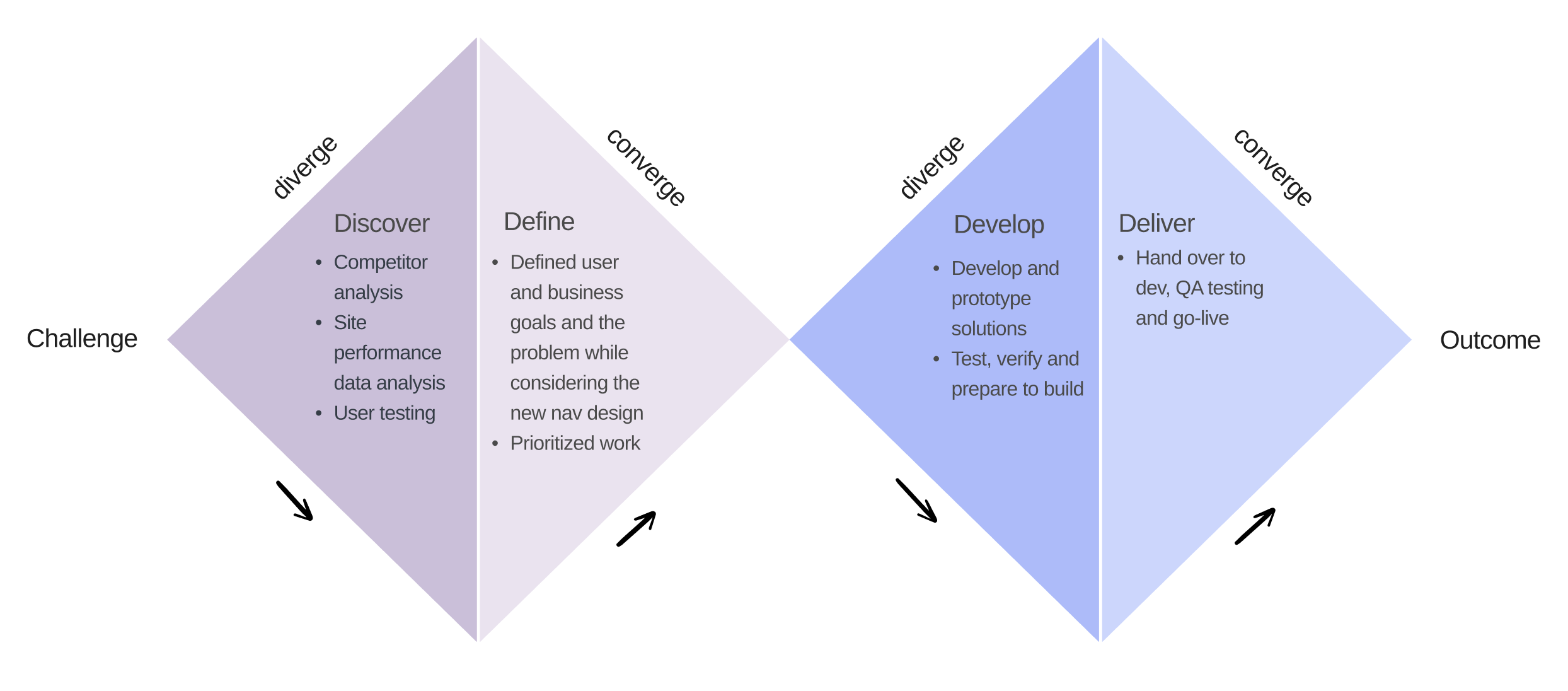
Competitor analysis:
Swedish
MultiCare
Virginia Mason
Mayo Clinic
Cleveland Clinic
Seattle Children’s Hospital


Data insights
Top patient-related topics from search and site clicks:
Find a doctor
Find a location
Make an appointment
Insurance and coverage
MyChart login
Estimate costs
Most competitors prioritize the above patient-related topics.
Topics of secondary importance:
Lodging options
Patient education
Interpreter services
Post-acute care
…and more
User testing
Test logistics
Usertesting.com
Unmoderated preference test
Mobile and desktop designs
8 users
4 native English speakers
4 non-native English speakers
AI speeds up analysis
Used ChatGPT to analyze user test results - cut down what typically takes 3 - 4 days to one day
Test insights
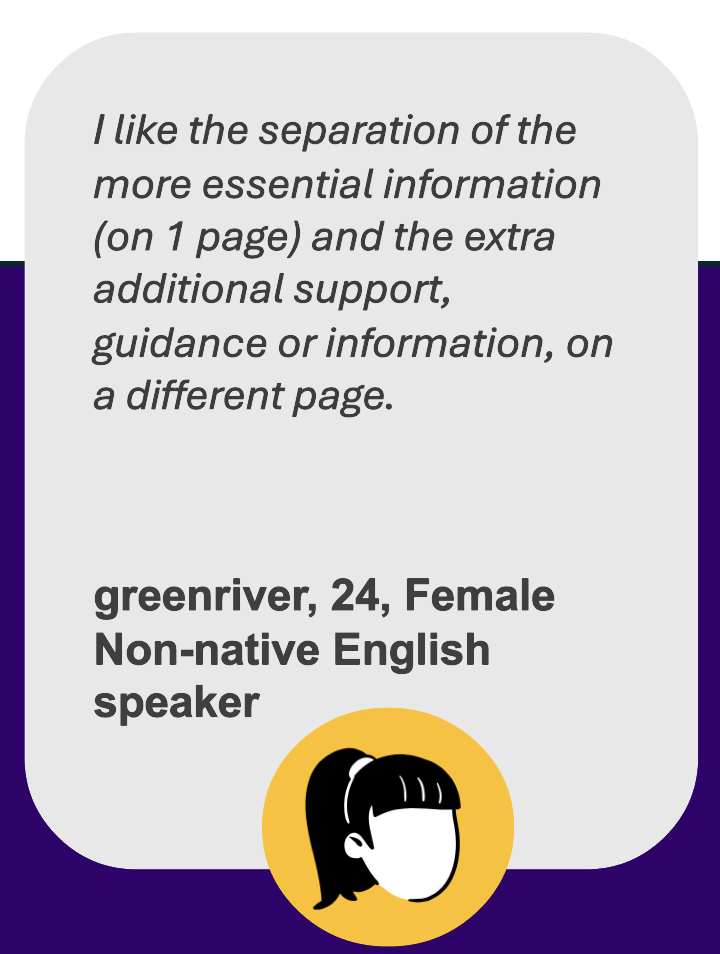
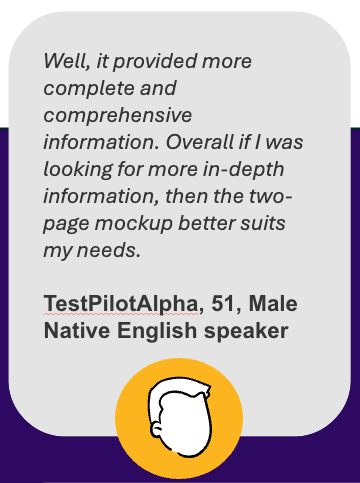
A two-page design is more inclusive
62% of users preferred the two-page design
60% of those users were non-native English speakers
Why users like it better
Less scrolling
More descriptive text that set accurate expectations
Clear topic headers and more descriptive text helped orient them
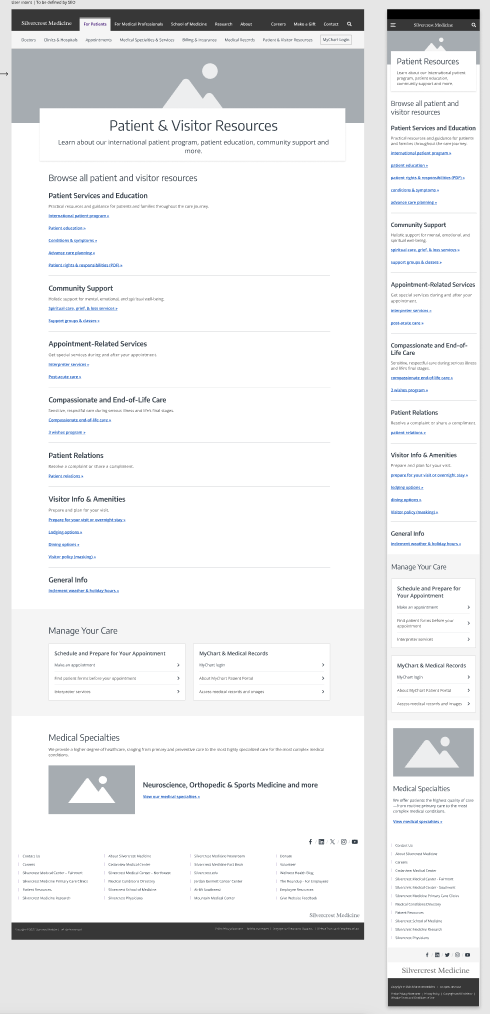
The most searched for and clicked on subjects are elevated in the IA on the first page, and less important subjects moved to the second page
Learn more about user testing
Content outline, design iterations & stakeholder feedback
AI speeds up content outline creation
I entered the top patient topics discovered in the data analysis phase and during user testing into ChatGPT and prompted it to create a content hierarchy
After entering a few more prompts that requested topic headers and hierarchy, I had a solid draft of the content outline with strong web page semantics to ensure accessibility, SEO and readability
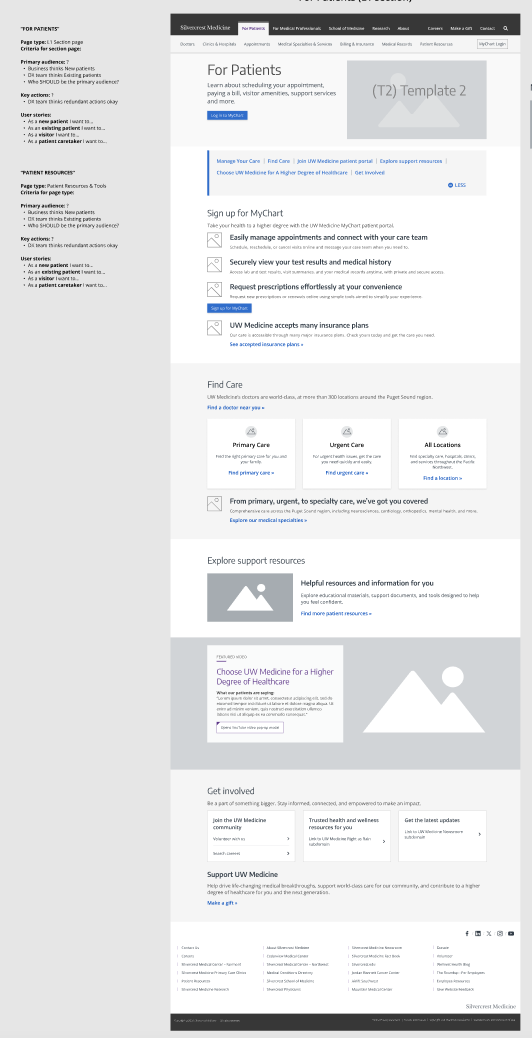
I lead the presentation of the final design and working with the designer, added in design rationale next to each section
Stakeholder feedback:
Add in a section highlighting medical specialties since this is a business goal
Add in links to the visitor policy page with masking policies and a link to the inclement weather and holiday hours page
Add in more images - we pushed back to keep to page a directory-style accommodating many links and keep scrolling to a minimum
Final design and iterations
Final design with design rationale for stakeholders
Design iterations:
Goal outcomes & lessons
Business goals:
New MyChart account creation increased by 2% and logins increased by 6%, exceeding our goal of 5% - eases burden on the call center for completing tasks for patients
Elevated visibility of high priority areas such as medical specialties and urgent care
Made patient forms easily accessible i.e. Notice of Privacy Practices
UX goals:
Clear language and pathways to subjects most important to patients (i.e. make an appointment, find a provider, estimate costs)
Through data analysis, implemented semantic hierarchy, prioritizing top patient subjects/actions at the top of the pages
Clear user journeys with minimal clicks to help patients accomplish tasks or expand their knowledge in a particular healthcare-related area
The new page identified the top patient-related actions and business priority page, and minimized the number of buttons on the page from 32 to 18 links
Personal goals:
Used ChatGPT to analyze user testing data and create report. Cut down the typical timeline from two weeks to four days
Also used it to create the content outline and synthesize comlex data analylis
What I’d do differently next time
Meet with the Patient Experience team (they own the doctor and clinic reviews) and ask them for any data or anecdotal recurring pain points that they’ve read or heard from patients
Leverage AI tools even more - enter all traffic site data into chat GPT and use it to support the complex data analysis I conducted at the beginning of the project