Online Scheduling Research
UW Medicine
UW Medicine’s mission is to improve the health of the public. The hospital system includes a top-rated medical school and an internationally recognized research center. There are ~500,000 website visitors every month and ~1.6 million in-person and telehealth patient visits annually.

Project background
UW Medicine implemented the MyChart patient portal in January 2020.
In 2021, UW Medicine put together a Digital Health Office and and hired my manager, Director of Digital Experience to build a user experience team.
We built five online scheduling experiences (decision trees):
Primary care
Specialty care
User Goals:
Help new patients establish care with UW Medicine doctors
Avoid long phone call hold times when scheduling appointments
Business Goals:
Lower the number of appointment scheduling-related phone calls to the Call Center by 10%, from ~10,000 per month to ~9,000 per month
View online scheduling project
Project success and new problems
After go-live, we had succeeded in our user and business goals, but we created new unforeseen problems in the online scheduling journey. This warranted system-wide research.
Phase 1: System-wide research
We conducted in-depth research to get to the root of the new problems.
Duration: 6 months
Team: Product Designer, Program Manager, Data Scientist, Operations Strategist, Director of Clinical Operations
Reviewers: Clinical leadership (add detailed later)
Problem Statement: Online scheduling did not consistently offer patients available appointments, and when it did, it often resulted in wrong appointments and unnecessary rescheduling efforts by the Call Center and clinic staff. Appointments that were scheduled online had higher cancellation rates than appointments that were scheduled over the phone.
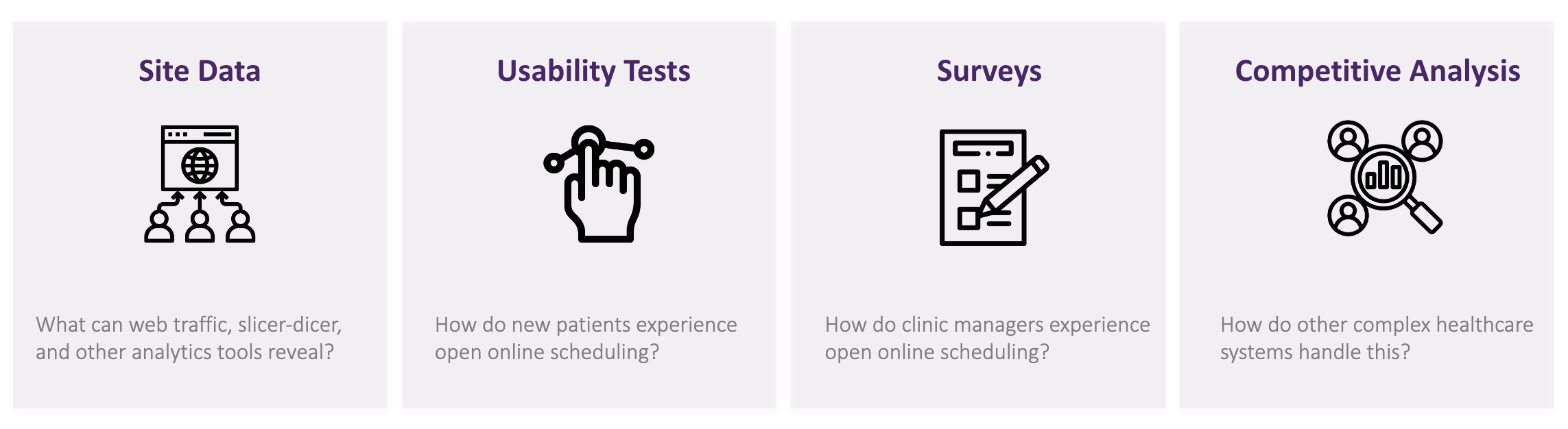
Four methods used to collect data
The product designer and I used a mix of quantitative and qualitative user research provided insight into the experience of online scheduling for patients and employees in the organization.
System-wide recommendations
These recommendations require system-wide change. As designers, we are only one piece of the puzzle.
1. Make Booking Efficient
The website is too cluttered and the paths to schedule are too limited.
The experience isn’t what users expect: simple, easy, and anticipatory.
2. Address availability issues
Patients do everything right and – much later – find out that there isn’t availability.
They’re confused and frustrated.
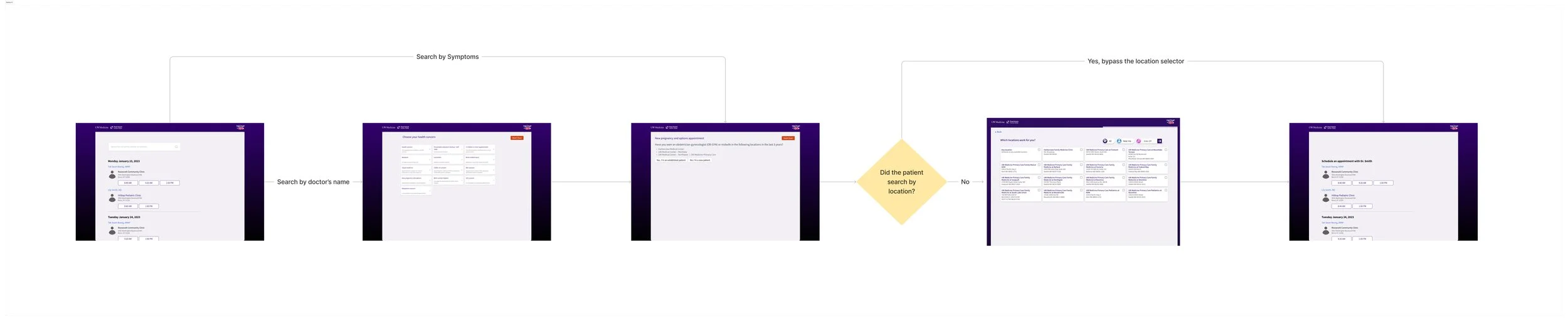
Action item: The product designer and I created a mockup of the new experience that accommodates multiple ways to search for and schedule appointments. It also lets patients know appointment availability ahead of entering the scheduling journey, and if appointments are more than three months out — they can start a telehealth appointing journey.
3. Decrease cancellations
Patients that go through open online scheduling have their appointments cancelled, or cancel their own appointment, more often than any other group. The right appointments aren’t happening.
4. Ease the pain on clinics
Clinic Managers feel that they're spending valuable time cancelling wrong appointments. It’s delaying care and causing friction. Develop a process to streamline when appointments need to be cancelled.
Action item: I identified that a new appointment coding system is necessary to capture the accurate reasons for visits. Clinic manager’s are overseeing this system-wide coding project.
Future model
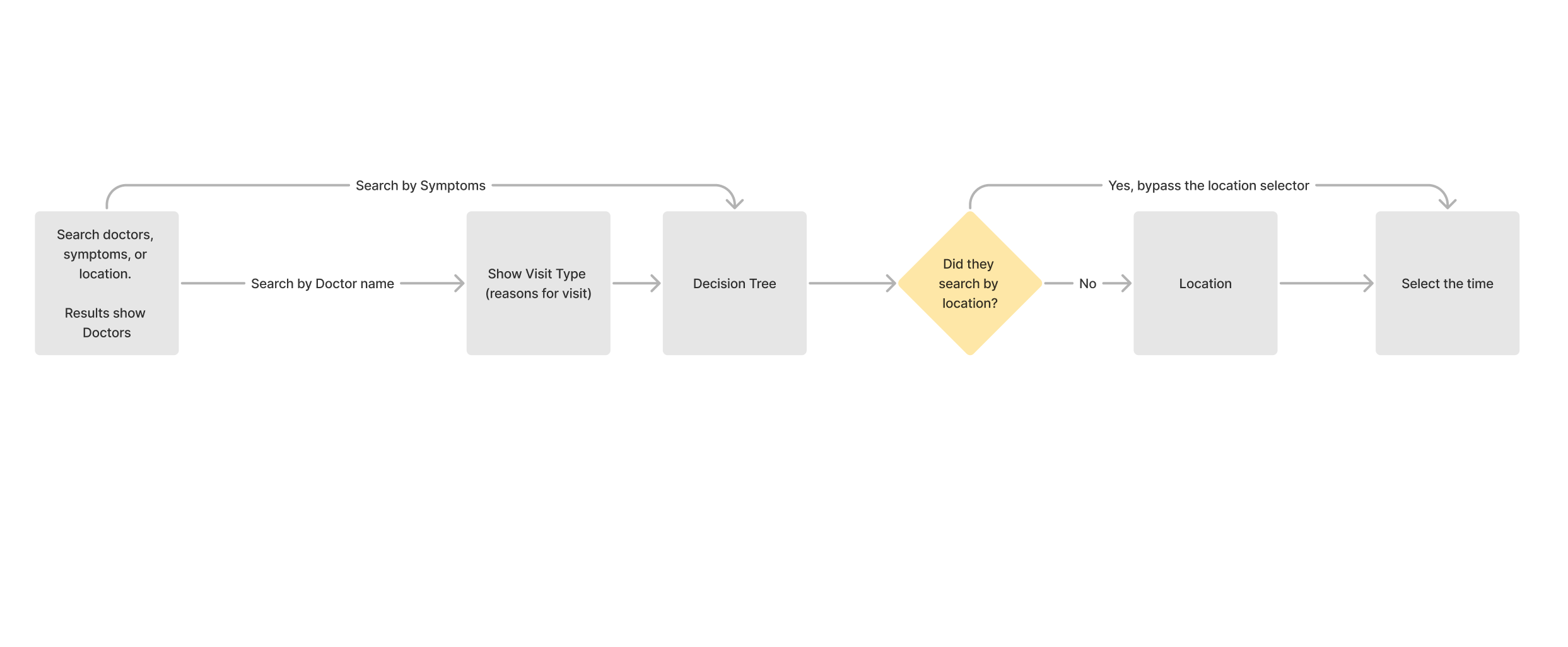
Users can search by doctor, symptoms or location.
Map symptoms to “visit type” codes, so that the correct appointments will be scheduled on the back end.
ADD old version to compare to the new version
ADD hi-fi mockups
How we developed recommendations
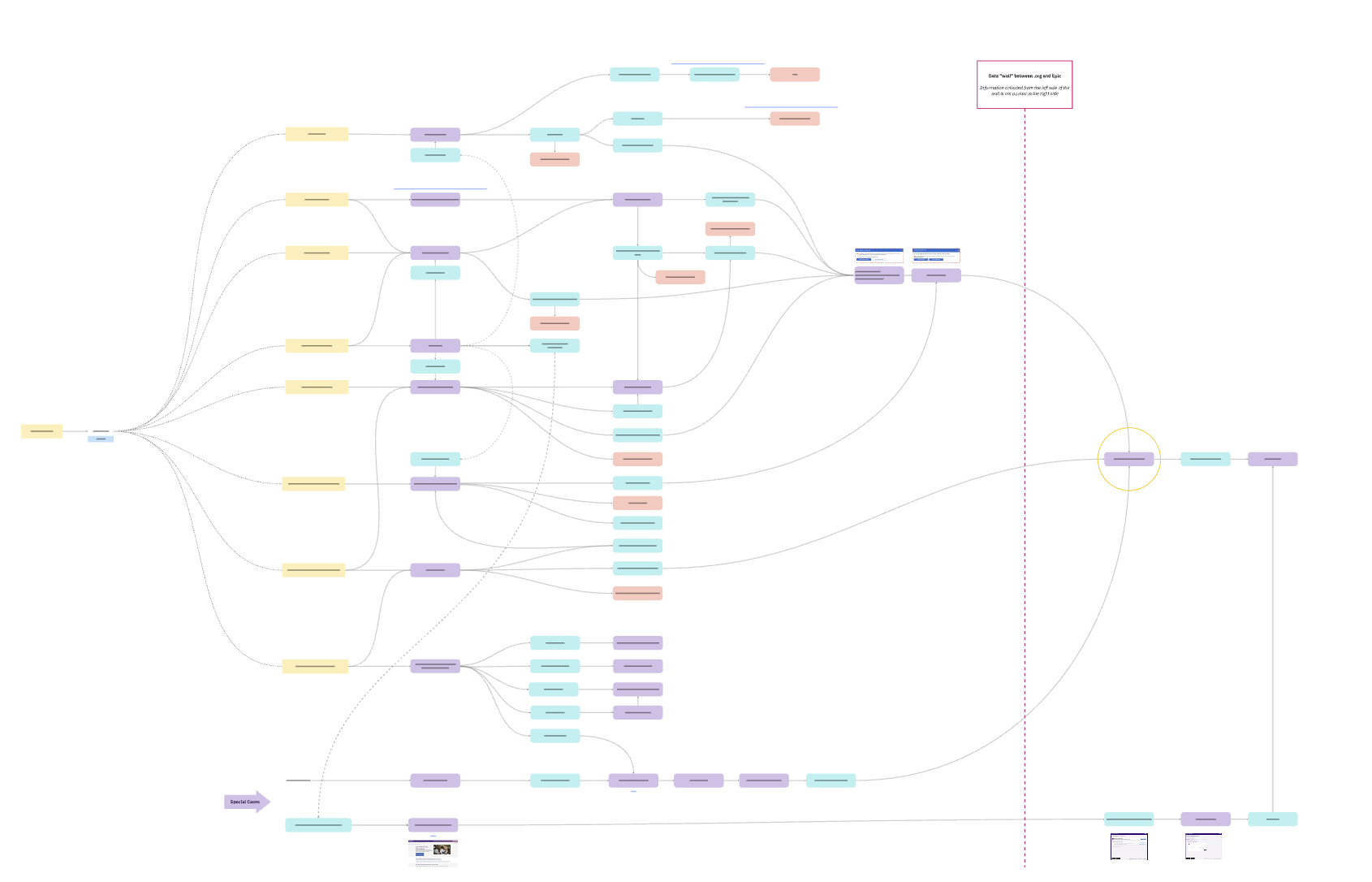
The product designer created a user flow diagram to show the various appointing journeys that patients can take to schedule appointments.
Site scheduling data findings
I gathered GA4 site scheduling data and MyChart SlicerDicer data.
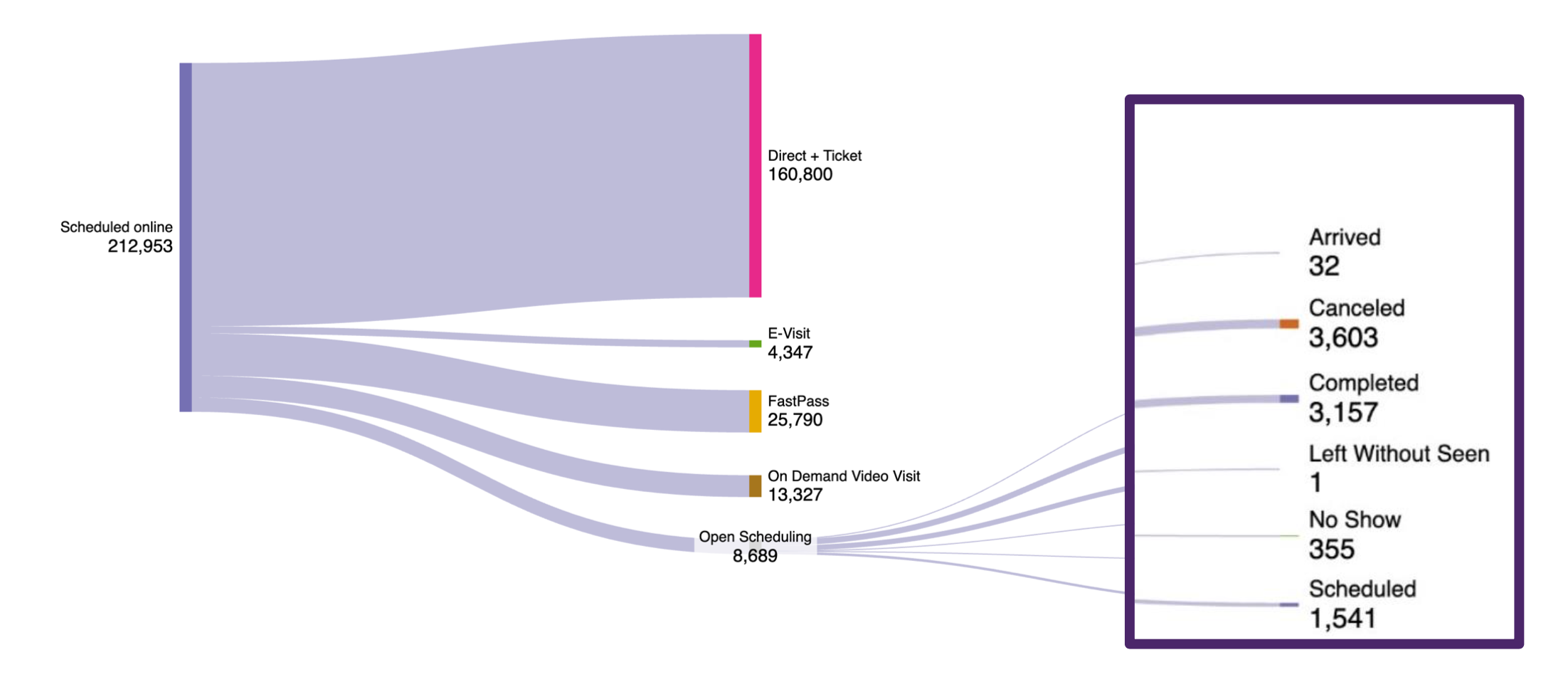
Open online scheduling makes up 6% of online scheduling (.06% of all scheduling).
Patients are offered many branching paths to find online care, but online scheduling makes up less than 10% of all scheduling.
Patients who use open online scheduling are twice as likely to cancel appointments than all other forms of scheduling.
Pro: they have the lowest rate of no- shows of all scheduling options.
Con: more open online scheduling appointments end in cancellations than in completion.
CY23 site scheduling data

CY24 site scheduling data
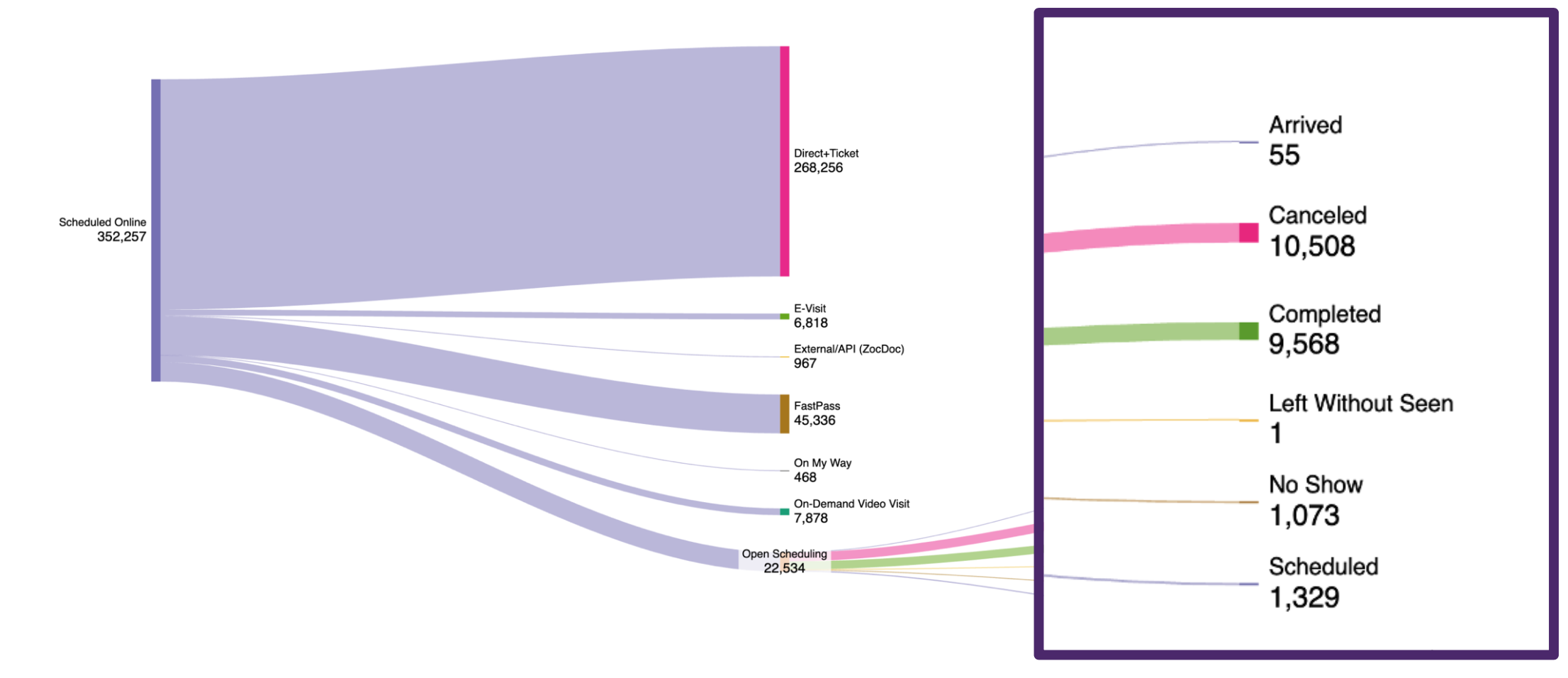
Site scheduling data takeaway
Address the problem of increased cancellations. Current open online scheduling process leads to an overwhelming number of cancellations from and for patients, frustrates clinical staff and delays access to care.
Clinic manager findings
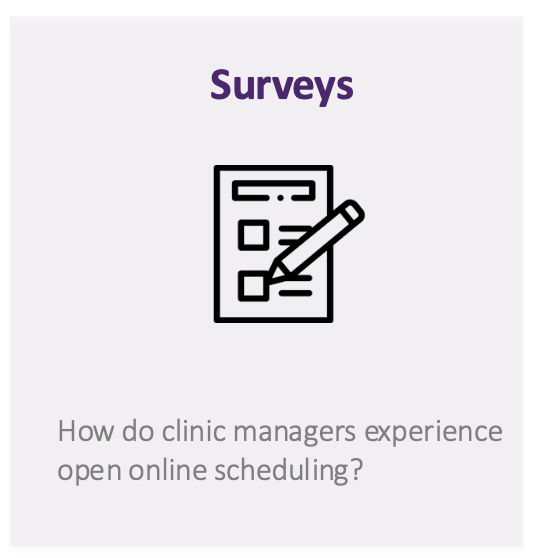
We surveyed UW Medicine clinic staff across specialties at 150 clinics
Clinic managers report that open online scheduling leads to errors weekly or even daily, creating breakdowns downstream.
These errors directly impact care delivery:
Patients arrive frustrated or incorrectly scheduled
Staff time is pulled from higher-value clinical and operational work
Appointments are delayed due to costly rescheduling
No clinic managers agreed that open online scheduling provides enough information prior to a visit, forcing clinics to correct issues after the fact.
While managers support online scheduling in principle, the current experience leaves them feeling frustrated, anxious, and confused—undermining trust in the system.
Clinic manager survey takeaways
The scope of this work widened when we understood that scheduling changes would need to be implemented across 150 clinics.
Work with clinic managers to improve the online scheduling flows — add in questions that they would ask in-person to save them time and lower cancellations.
View in-depth clinic manager surveys
Usability test findings
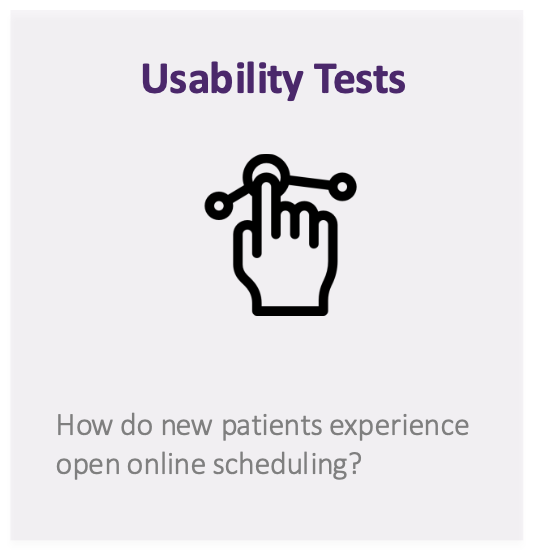
The most negative user experiences occurred when patients followed the correct scheduling path but reached a dead end with no available appointments. These moments broke user trust and created strong frustration.
Path success varied significantly by specialty:
Only 43% of Primary Care users completed the correct path and found availability
No OB-GYN users successfully reached an available appointment
Key decision points introduced cognitive friction:
Specialty selection caused confusion for 32% of users
Reason for visit was unclear for 29%, leading to hesitation and second-guessing
Usability test takeaways
Set expectations upfront by surfacing real-time availability before users commit to the scheduling flow.
Encourage same-day telehealth options if appointment availability is more that three months out
View in-depth usability tests
Competitive Analysis
The product designer and I analyzed the competitor landscape of online scheduling at hospitals including:
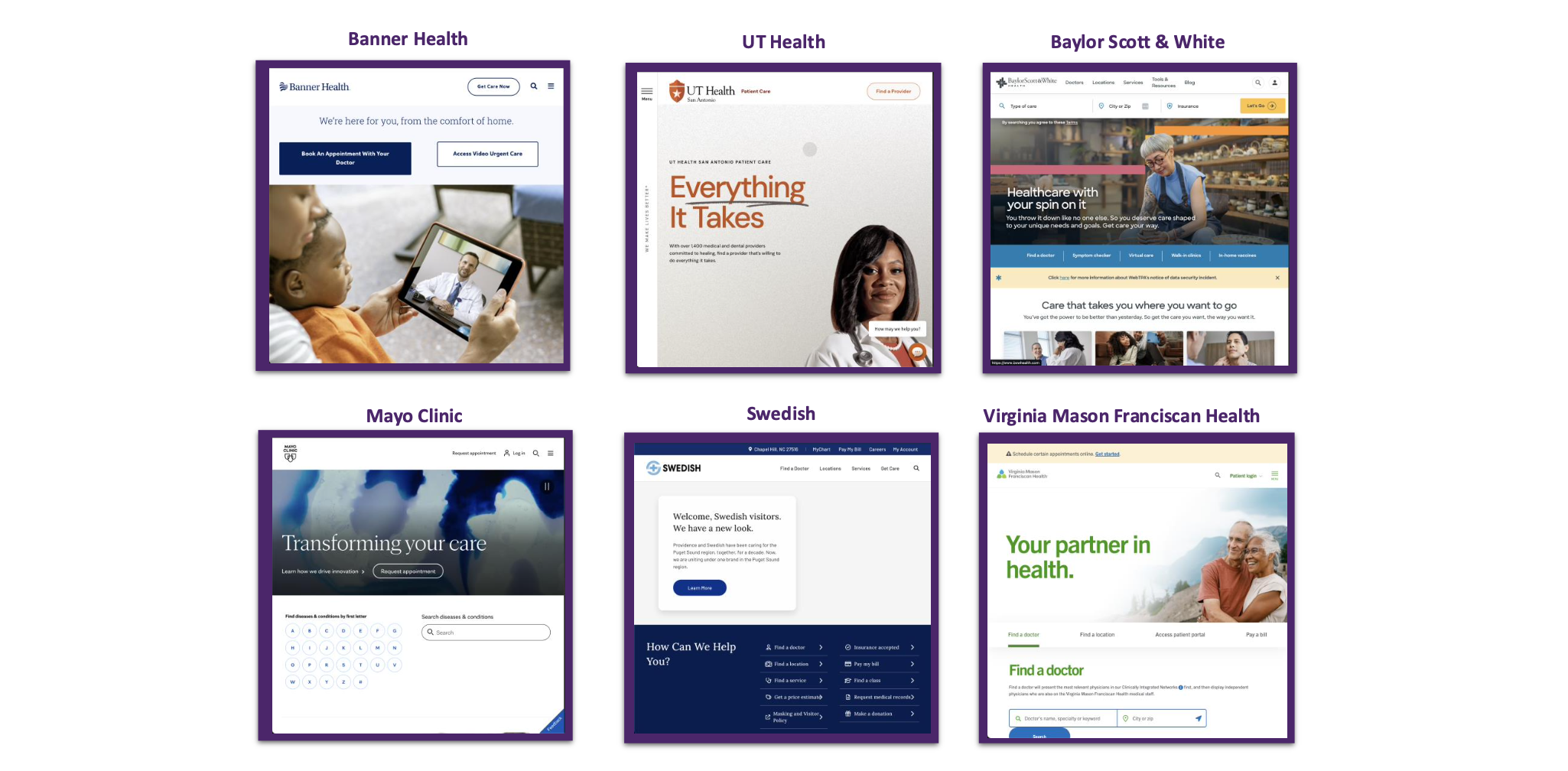
The best competitors share three principles:
Obvious & Easy: Booking starts fast. It’s the first thing a patient sees. The site assumes the user is there to schedule, fast, first and foremost.
Lean & Guided: Nothing is asked that feels superfluous or complex. The patient has all the information needed to proceed. Progress is reported at each step.
Timely & Anticipatory: Booking is over sooner than expected. Patients see their appointment reserved at the beginning of the process.
Competitive analysis takeaways
Simplify paths that lead to open online scheduling:
Refine the experience on the homepage and focus the path to just provider search / symptoms, etc.
Reserve appointments at the beginning of the booking process before we ask patients detailed questions.
When in-person booking isn’t available, we should create telehealth pathways for open scheduling.

Phase 2